
Version: Business Enterprise Advanced
Platform: Web Android IOS
Role: User Manager Accountant Administrator
N2F allows administrators to create and manage the vehicles used by their employees.
This is particularly useful when the company wants to handle vehicle creation itself instead of leaving it to its employees.
N2F offers 4 vehicle types:
- Personal vehicle: owned by the employee and mainly used to claim mileage allowances.
- Company vehicle: owned by the company and used for expenses such as fuel, maintenance, tolls and parking.
- Loan vehicle: temporarily made available to an employee.
- Rental vehicle: rented for a limited period, for example from a car rental company.
Administrators can create a vehicle for an employee in two ways from the administrator space.
1. Create a vehicle from the Analytics tab
- Go to your administrator space.
- Open the Advanced settings.
- Select the entity for which the vehicle should be created.
- In Analytics, open the Vehicles tab.
- Click Add vehicle.
- Select the vehicle type.
- Fill in the required information on the vehicle form.
- Save the vehicle.
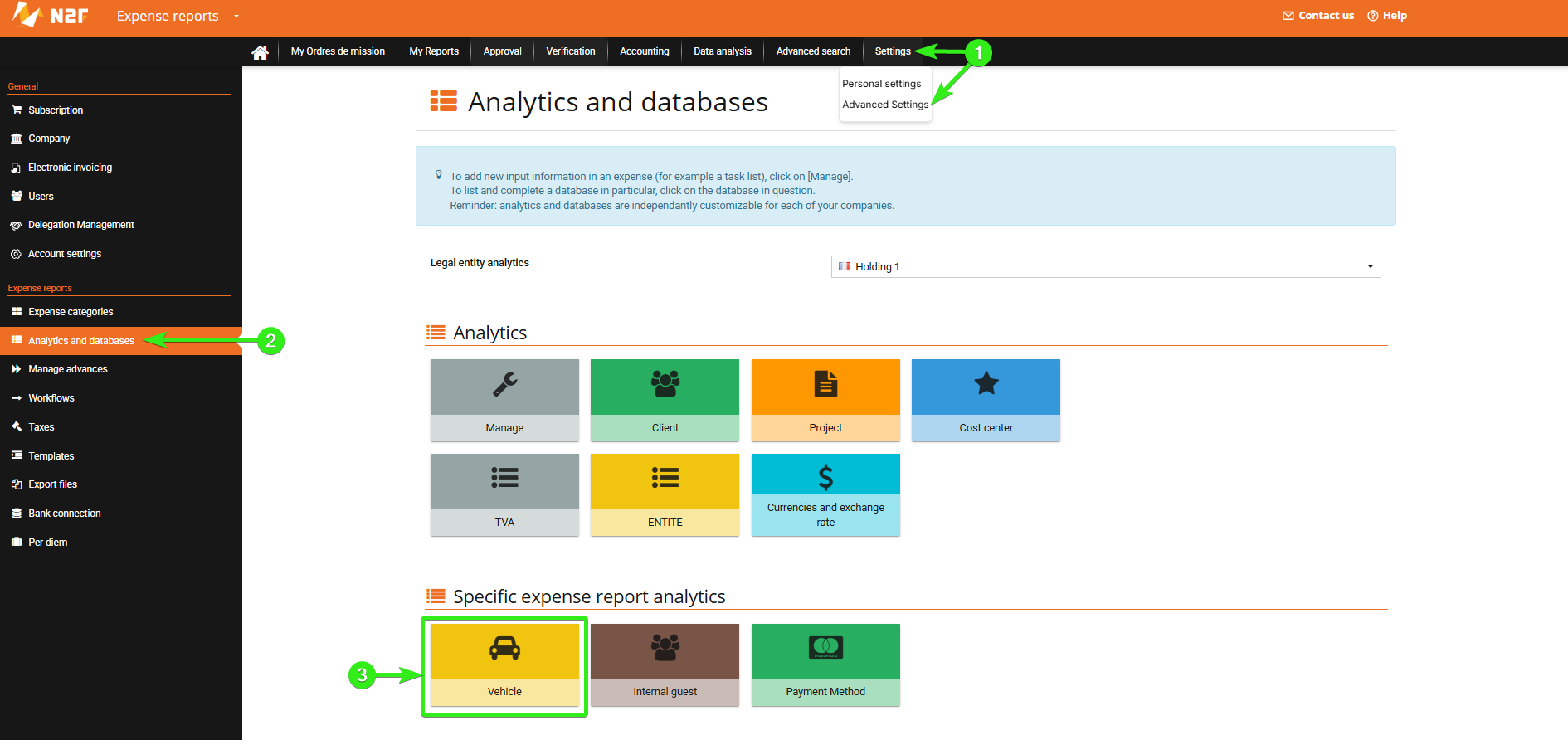
Depending on its settings, the vehicle can then be assigned to or used by the relevant employee(s).
2. Create a vehicle from an employee’s profile
You can also create a vehicle directly from the employee’s user profile:
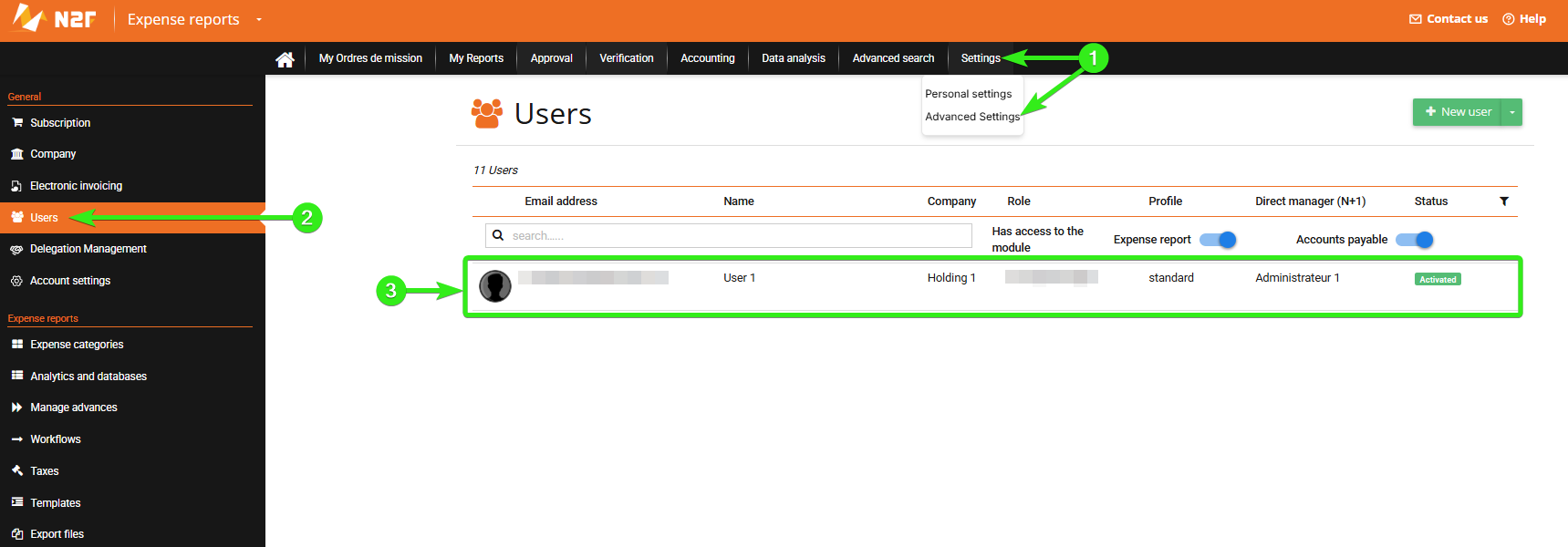
- Go to your administrator space.
- Open the profile of the employee concerned.
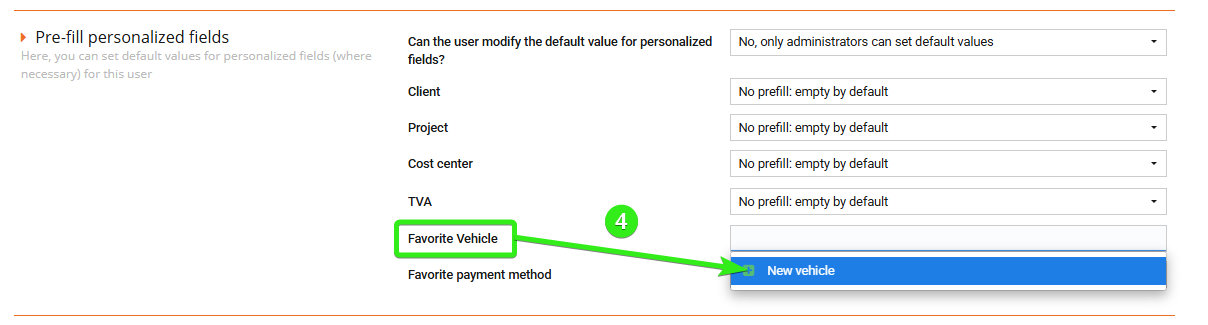
- In the custom fields section, go to Favorite vehicle.
- Click + New vehicle.
- Select the vehicle type.
- Fill in the required information.
- Save the vehicle.
--------------------
--------------------
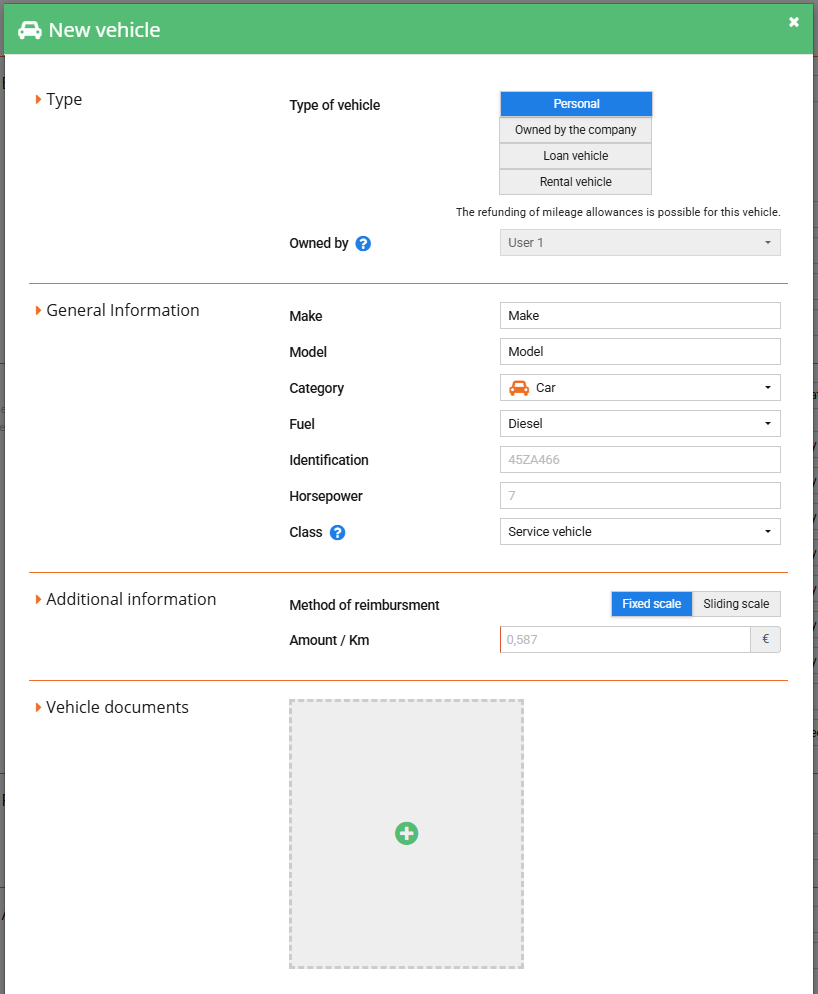
The vehicle is then linked to the employee and can be used for the relevant expenses.
Tips
- Administrators can prevent employees from creating vehicles themselves. In that case, only administrators can create vehicles from the administrator space. To set this up, see: Can I prevent a user from registering a vehicle?
- You can make the vehicle registration document mandatory for mileage allowance claims. To set this up, see: How can I make it compulsory to enter the vehicle registration document when creating a new vehicle?
- Employees can also create their own vehicles from their personal space. See: How to register vehicles in N2F?
Questions?
Contact our support team:
support@n2f.com