
Version : Business Enterprise Advanced
Environment : Web Android IOS
Status : User Manager Accountant Administrator
N2F lets you create and manage your vehicles. You can then link them to expenses that require a vehicle, such as mileage allowances or fuel costs.
N2F offers 4 vehicle types:
- Personal vehicle: owned by the employee and mainly used to claim mileage allowances.
- Company vehicle: owned by the company and used for expenses such as fuel, maintenance, tolls and parking.
- Loan vehicle: temporarily made available to an employee, for example when the company lends a vehicle.
- Rental vehicle: rented for a limited period, for example from a car rental company.
Note: depending on your account settings, an N2F administrator can also create vehicles directly from the administrator space. To find out how, see: How do I create a vehicle for my employees?
As an employee, you can create a vehicle in two ways: while entering an expense, or from your personal settings.
1. Create a vehicle from an expense
If an expense requires a vehicle, you can create the vehicle directly from the expense entry screen:
- Create a new expense with an expense type that requires a vehicle (fuel, mileage allowance, etc.).
- If the vehicle does not exist yet, click New vehicle.
- Select the vehicle type:
- Personal
- Company
- Loan
- Rental
- Fill in the required information.
- Save the vehicle.
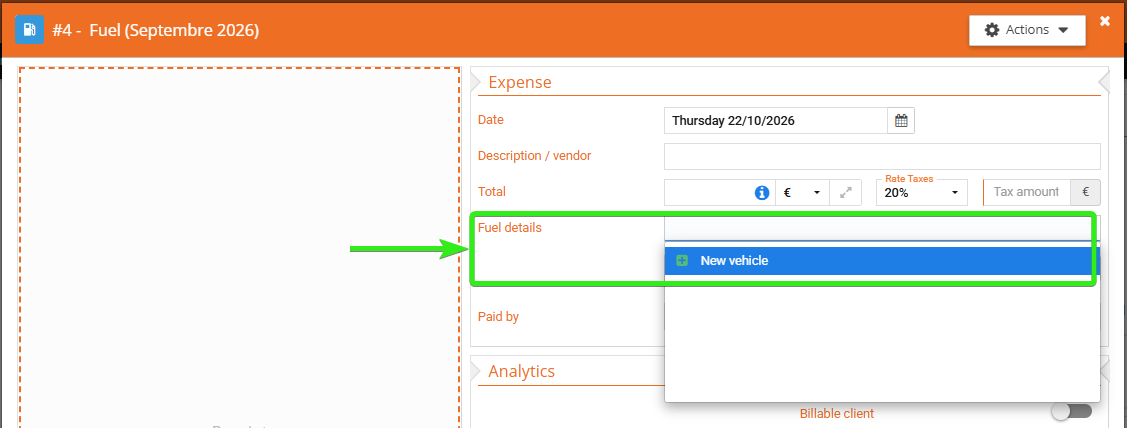
You can then select the vehicle whenever you enter a related expense.
Note: with some settings, an administrator has to approve the vehicle. In that case, you can save your expense, but you must wait until the vehicle is approved before submitting your expense report.
2. Create a vehicle from your personal settings
You can also create a vehicle without entering an expense first:
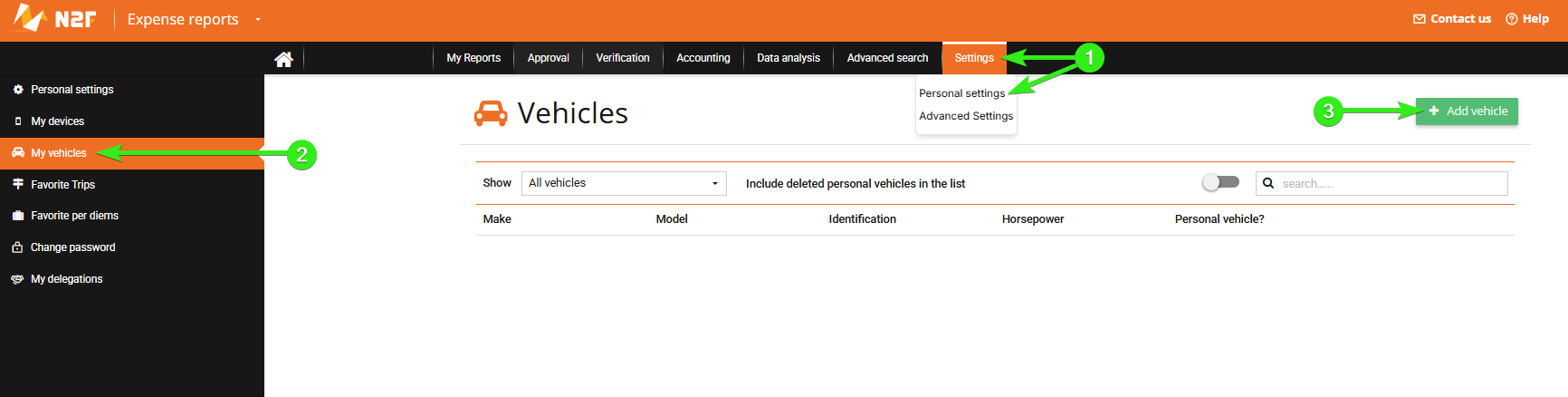
- Go to your personal space.
- Open your personal settings.
- Go to the My vehicles tab.
- Click Add vehicle.
- Select the vehicle type.
- Fill in the required information.
- Save the vehicle.
------------------
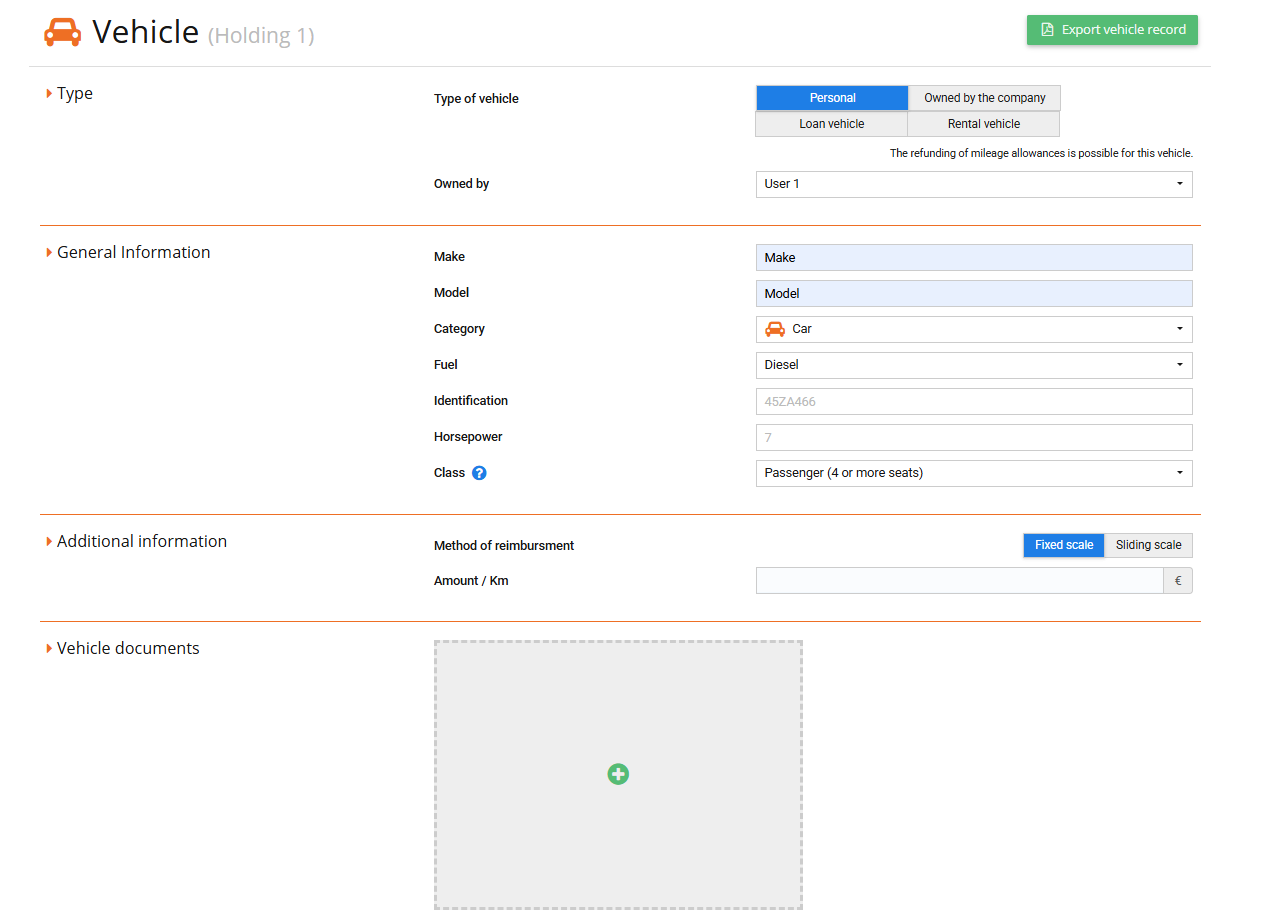
The vehicle is then available for the related expenses.
Note:
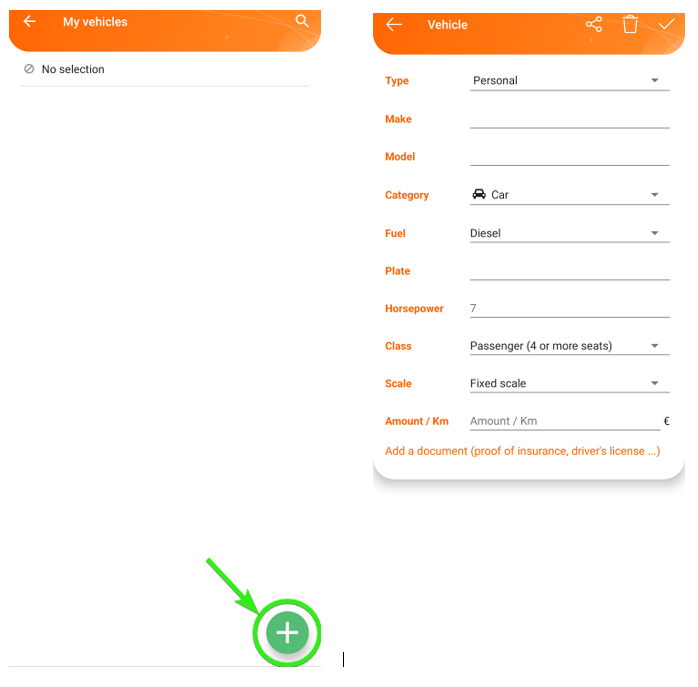
These features are also available in the N2F mobile app. You can create a vehicle while entering an expense or from the Favorite vehicle panel in your settings.
- From the expense entry screen:
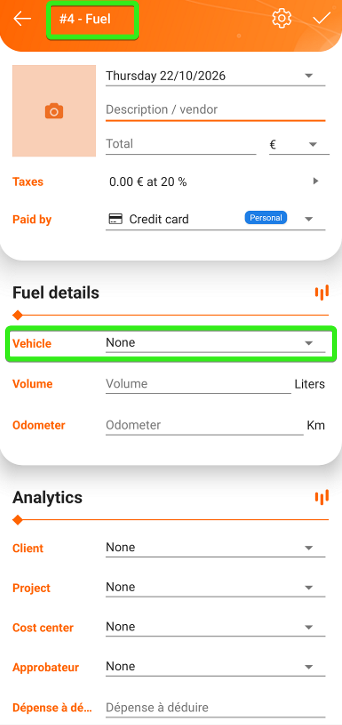
- From your personal settings:
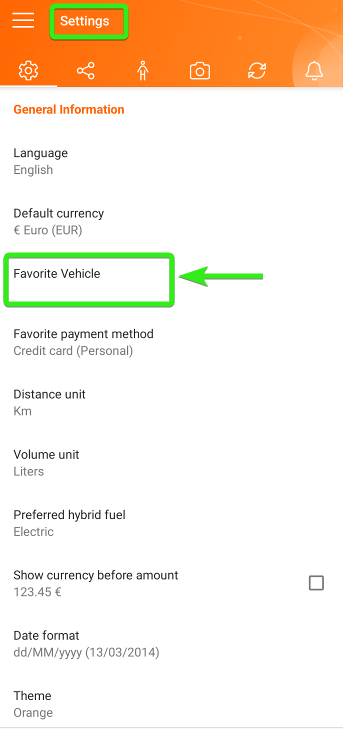
The steps are the same as on the web: select the vehicle type, fill in the required information, then save.
Questions? Contact our Support team:
support@n2f.com